This time, I don’t talk about photography or cameras, but about the time when I prepared new computer equipment for the introduction of PhotoLab7. This is a little bit long article as a reminder.
Initiation:
Photolab7’s selling feature = noise reduction is quite power-hungry, requiring a mid-range or higher GPU in addition to CPU and memory enhancement. I can’t afford a desktop + GPU because of the space constraints in my house. I concluded that the only option was a “moderately powerful gaming notebook PC.”
Product Selection:
After much deliberation, I chose the TUF Gaming A15 FA507NV from ASUS in Taiwan. Even though it is an older entry-level product, it should be “moderately powerful” with Ryzen7 CPU, 16GB memory (DDR5), NVIDIA RTX4060 GPU and 1TB SSD.
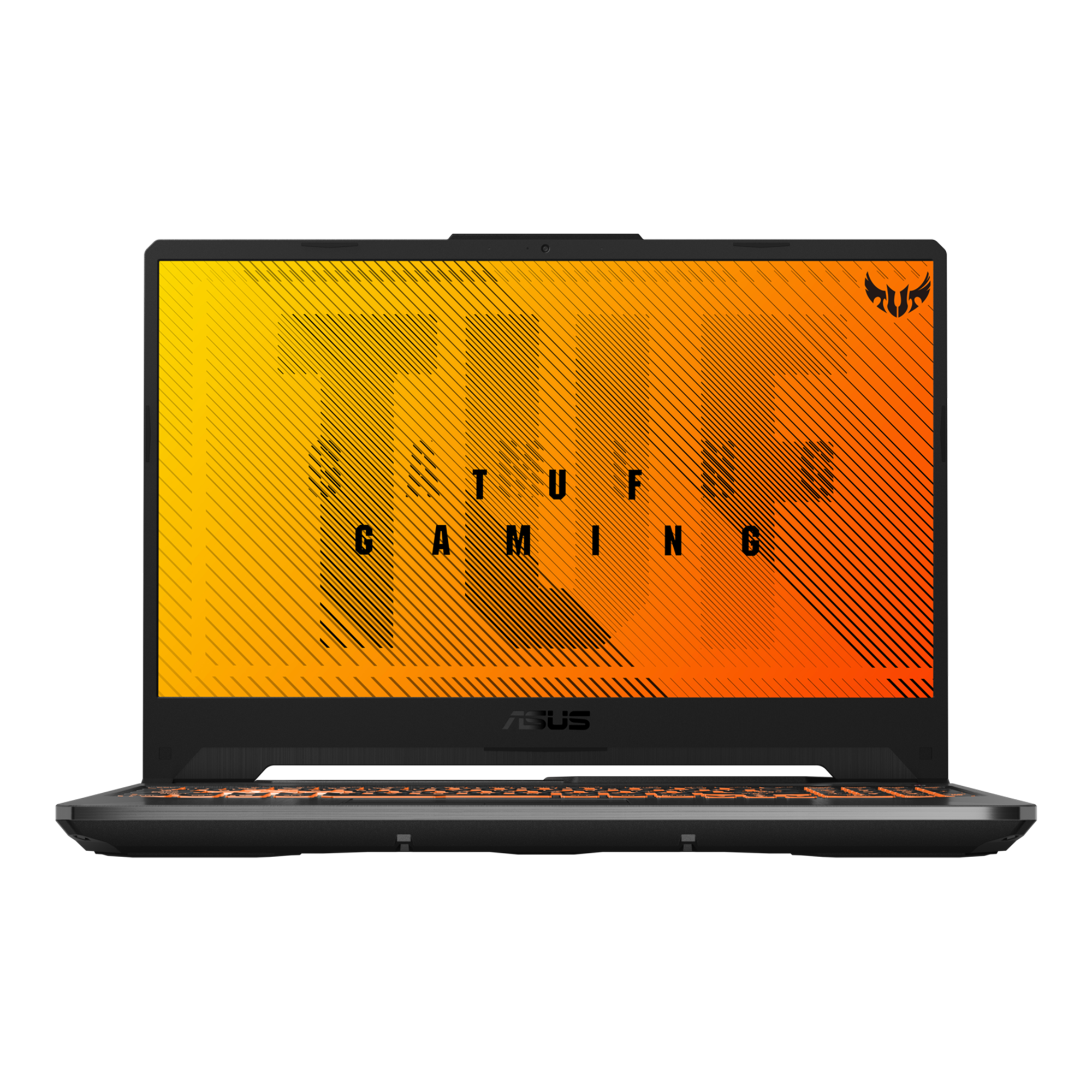
The price was generally reasonable in all sales channels, then I bought an Ama**n limited edition (same specs and different exterior design from the official one), which was a bit cheaper than the others. When I held the actual product in my hands, I found it to be more solidly built than I had expected, and the key touch was pleasant to the touch. If you don’t mind the somewhat young-kids-like appearance, it seems to be reliable as a work PC.
Two miscalculations about memory:
First miscalculation. Themodelus original model had dual channel memory (double 8GB modules inserted), but the Ama**n Limited model has a single channel (a single 16GB module inserted). It is my fault for overlooking the details, thinking that the specifications were the same, and so far I have confirmed that PhotoLab7 runs smoothly even with this specifications, there is no problem for the time being.
However, it is true that the performance of a single 16GB is a little lower than that of doubles 16GB, which is a little annoying.
On the positive side, there is one free slot, so there is room to expand the memory by yourself. I was thinking that I should can another 16GB module and dual-memory it, even though it may be over-spec.
Just when I was getting ready to do so, I had a second miscalculation. Since the least risky way to expand the memory is to prepare another identical memory module, I checked the manufacturer and model number of the memory module that was stuck in by default and found that it was made by Micron. Oh, Micron’s consumer products are supposed to be Crucial brand, but for some reason, Micron brand products for business use are being used.
Since it is for industrial use, I had to find a trading company that would retail only one memory module, which was more expensive than buying a set of two modules through Crucial or other consumer sales channels. However, even if I were to buy a new set of two memory cards, I am not confident that I would be able to choose the right one that would work properly because I am a novice.
Yes, I’m stuck.
There is nothing wrong with the product itself. It is not anyone’s fault but my own. However, if I were to speculate without any evidence as to the cause of the problem, I would say that ASUS bought surplus industrial-use memory from a parts manufacturer at a low price and made it into an Ama**n limited edition product, which I quickly guessed was cheap and grabbed it.
Preparation:
Despite the fact that I was hooked, I was a little unsure whether to add more memory, but momentum is important in this kind of thing (lol). I told myself that if the price is high, it means that the quality is that much better for professional use, and made the decision. Besides, I’ve never opened the gaskets of notebook PCs, so I’d like to experience it at least once.
Google found a US distributor below that seemed to be easier to talk to than a Chinese or Middle Eastern ones. The purchase process is non-stressful, with a complete transaction mechanism and website in Japanese, so much so that I feel uncomfortable ordering a very small order of a single memory chip.

The item arrived safely after about a week of lead time. The toy-like heatsink we had prepared at the time was ready for expansion work.
Workshop:
I was nervous because it was the first time for me to touch a precision screwdriver and open the gasket of a notebook PC, but the work proceeded without a hitch. The information I had heard somewhere that “using a guitar pick is good for removing the cover of a notebook PC” was very helpful. The photo below is taken immediately after the installation of the additional memory.
The lower of the two lined up in the middle is the memory module that was added this time.
The battery is huge, and the fan and ducts are as heavy-duty as that. Gaming notebooks require a lot of power, and the fight to protect the parts from the heat generated by that power seems much tough.
I bought a small copper heatsink, but it didn’t seem to be very effective, and I thought about not putting it on until just before I went to use it, but there was something on the default memory, so I decided to put it on as a talisman to help the fight aganist heat, even if it was just for a feeling.
After closing the cover, I booted up the PC and confirmed that the 32GB memory was properly recognized and working properly!
Summary:
The timing of the new computer installation was considerably earlier than I had vaguely envisioned at the beginning of this year, and the budget ballooned. As a result, I have prepared a computer that is MORE than sufficient for both bussines use and photo hobby use within the scope of my purposes, so I should make more than sufficient utilization of it and try my best to output good business task and good photos.
And be careful of Ama**n limited edition models.